
Project 2: Enhancing User Experience with Multimedia & jQuery Effects

Updated: Mar 10

1️⃣ Project Description
One of my most impactful projects for the Wild Rescues website was improving user engagement through multimedia and interactive JavaScript features.
Originally, the website contained static content and basic layout structure. My task was to enhance the site by adding:
Embedded video content
Interactive FAQ functionality
Improved layout styling
Responsive media elements
The goal was to make the website more engaging, informative, and user-friendly while maintaining accessibility and responsiveness across devices.
By adding multimedia and jQuery interactivity, I transformed the website from a simple informational page into a more dynamic digital experience.
2️⃣ Technical Sheet
✅ Features Implemented Using JavaScript & jQuery
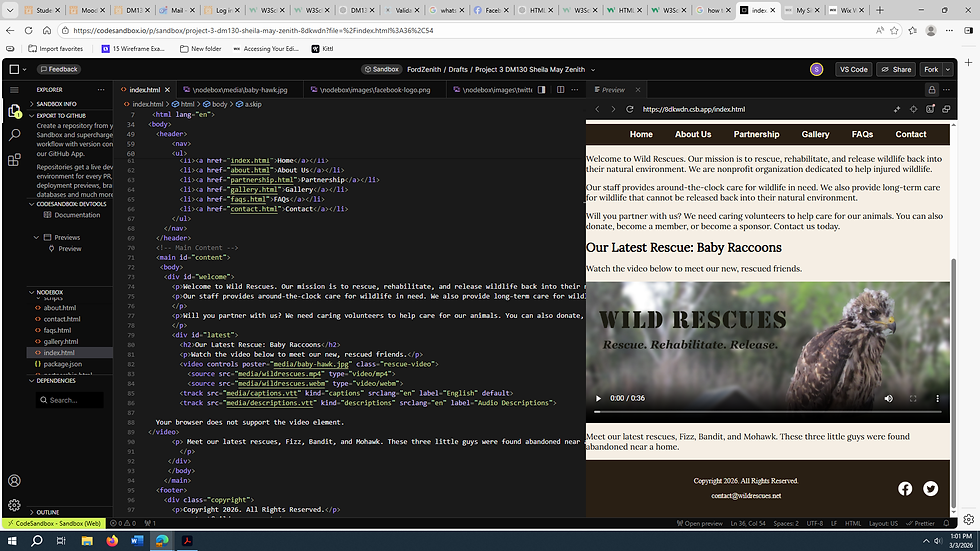
Embedded responsive video using HTML5 <video>
Custom CSS styling for multimedia
jQuery Document Ready Event
Click event for FAQ toggle
DOM manipulation
Show/Hide content interaction
Hover button effects
Responsive media scaling
✅ JavaScript Function Example
function toggleMenu() { var nav = document.getElementById("nav-links"); nav.classList.toggle("show");}✅ jQuery Document Ready Example
$(document).ready(function() { $("#questions p").click(function() { $("#answer h2").slideToggle(); });});This allowed users to click a question and dynamically reveal the answer, improving usability and reducing clutter.
✅ Multimedia Enhancement Example
<video controls poster="images/baby-hawk.jpg"> <source src="media/wildrescues.mp4" type="video/mp4"></video>The video was styled to be responsive across devices using CSS to ensure it scales properly on mobile, tablet, and desktop screens.
3️⃣ Official Documentation Links
W3C – Responsive Web Designhttps://www.w3.org/TR/mediaqueries-5/
Mozilla Developer Network – HTML5 Videohttps://developer.mozilla.org/en-US/docs/Web/HTML/Element/video
jQuery – Effects & Eventshttps://api.jquery.com/category/effects/
4️⃣ Screenshot Section
📸 Screenshots showing:
The embedded video

The FAQ toggle interaction
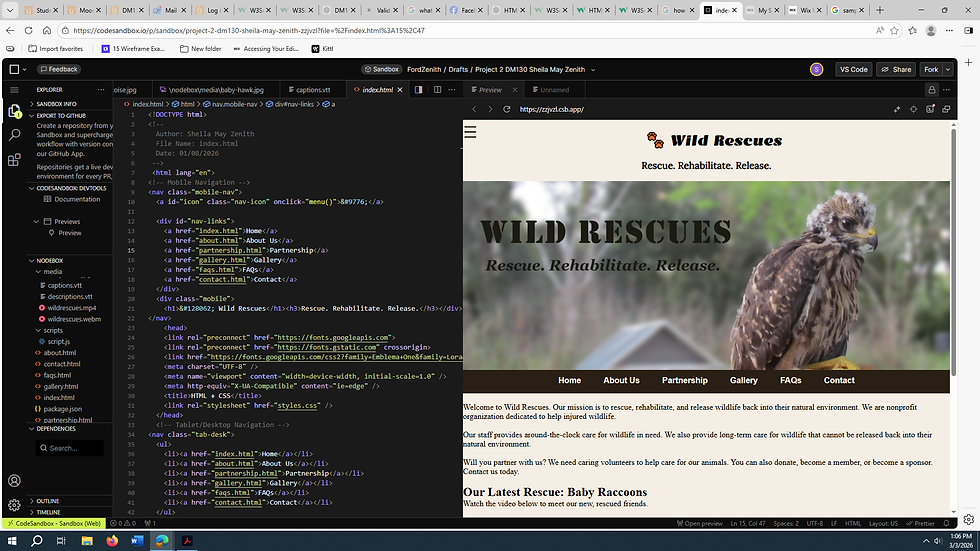
Mobile view responsiveness

Comments