
Project 3: Enhancing Navigation & Interactivity with JavaScript

Updated: Mar 10

1️⃣ Project Description
One of my favorite projects was improving the navigation and interactivity of the Wild Rescues website. The original website had static navigation, which made it less interactive on mobile devices. My task was to enhance user experience by adding JavaScript functionality to improve accessibility and responsiveness.
The main goal was to:
Create a responsive mobile navigation menu
Improve usability across different viewports
Add dynamic behavior to increase engagement
This project helped transform the website from static to interactive and more user-friendly.
2️⃣ Technical Sheet
✅ JavaScript Features Implemented
Mobile navigation toggle function
onclick event handling
JavaScript function to show/hide menu
DOM manipulation using getElementById()
Skip-to-content accessibility enhancement
jQuery Document Ready Event
✅ Example JavaScript Code Snippet
function menu() { var nav = document.getElementById("nav-links"); nav.classList.toggle("show");}jQuery Document Ready Example:
$(document).ready(function(){ $("#questions p").click(function(){ $("#answer h2").toggle(); });});✅ Official Documentation Links
Mozilla Developer Network – JavaScript Functionshttps://developer.mozilla.org/en-US/docs/Web/JavaScript/Guide/Functions
jQuery Documentationhttps://api.jquery.com/ready/
3️⃣ Screenshot
📸 Screenshots of:
Mobile menu open
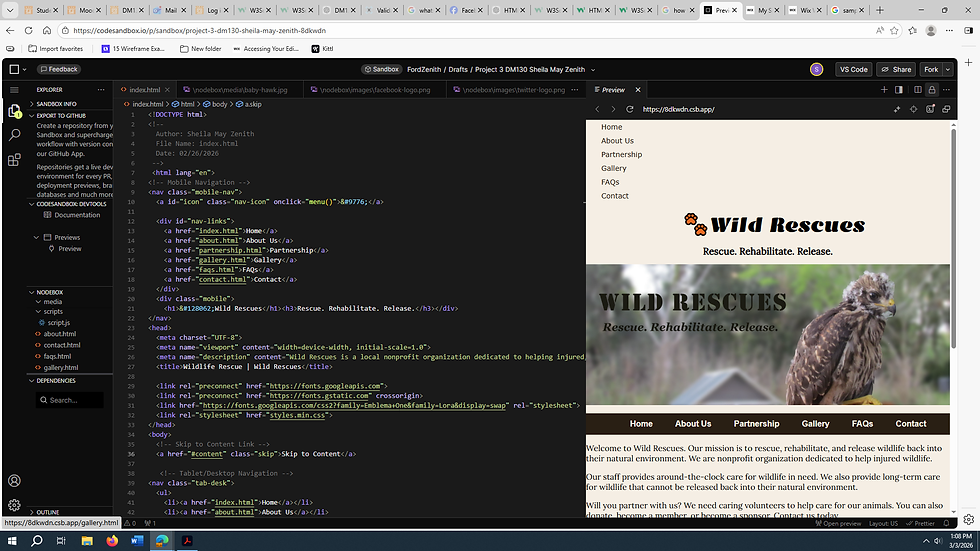
Desktop navigation
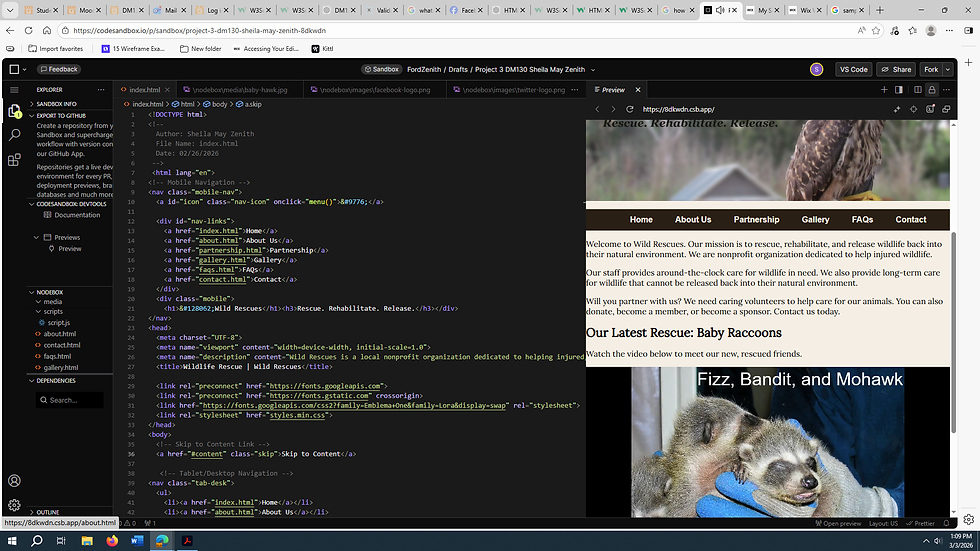
FAQ toggle working


Comments